

What's new
PX Studio Docs
Everything you need to build your stream overlay, bring it into OBS and run your show with your team.
PX Studio is a browser-based studio for Twitch and Kick streamers. You build your overlay on one canvas, add it to OBS once, and from then on every change shows up live on stream. Alerts, chat, goals, a chat bot and your moderators all live in the same place.
Choose your path
QuickstartCreate your first overlay and go live in about five minutes.Editor basicsPlace, resize, group and style widgets on one canvas, with undo for everything.WidgetsEvery widget with its looks, chat commands and a full settings reference.Add to OBSOne browser source for the whole overlay, set up by hand or automatically.Ask PixOur AI helper answers questions, checks your OBS setup and does the work for you.API and MCPPersonal tokens, REST endpoints and an MCP server for Claude and ChatGPT.
Go live in three steps
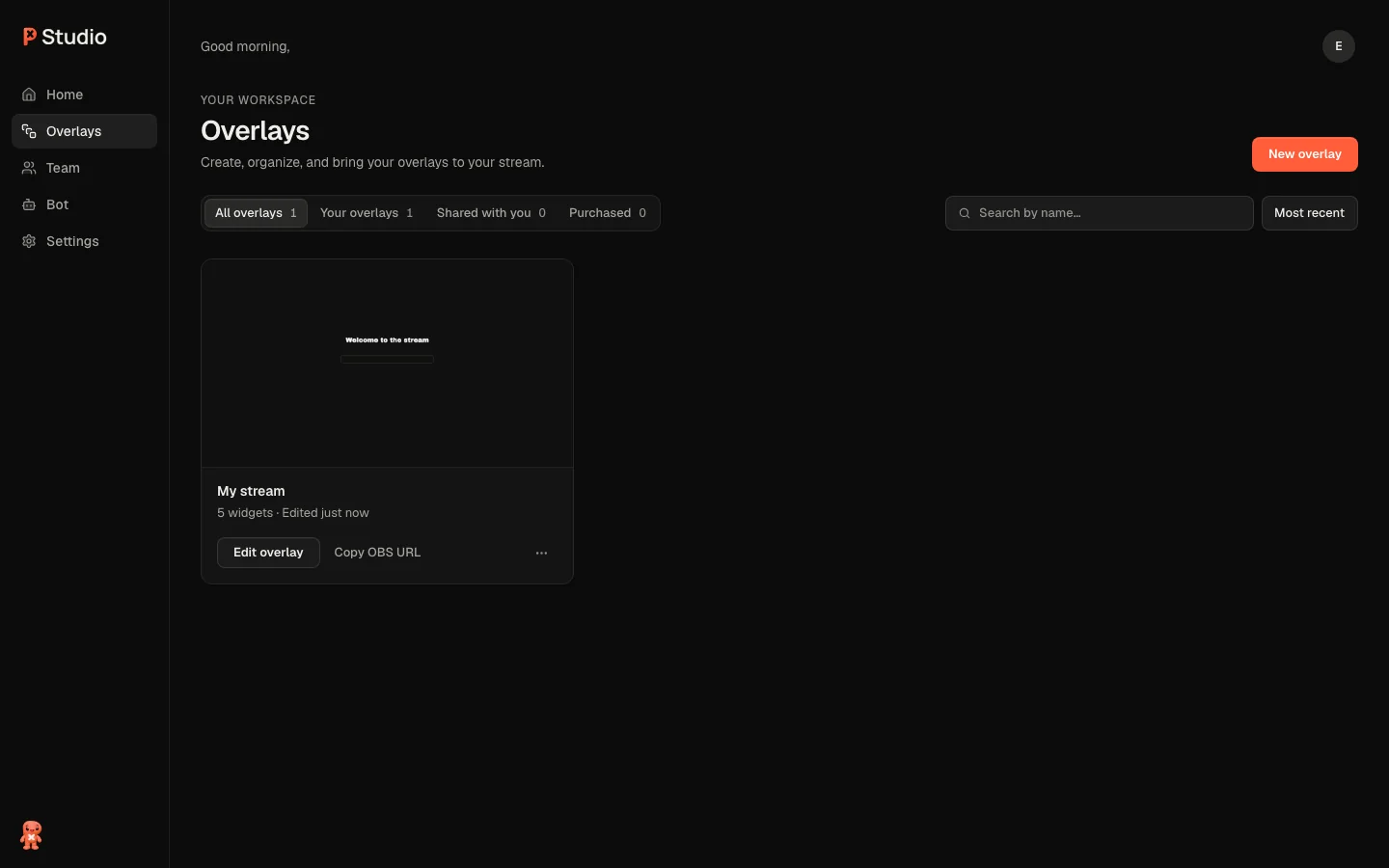
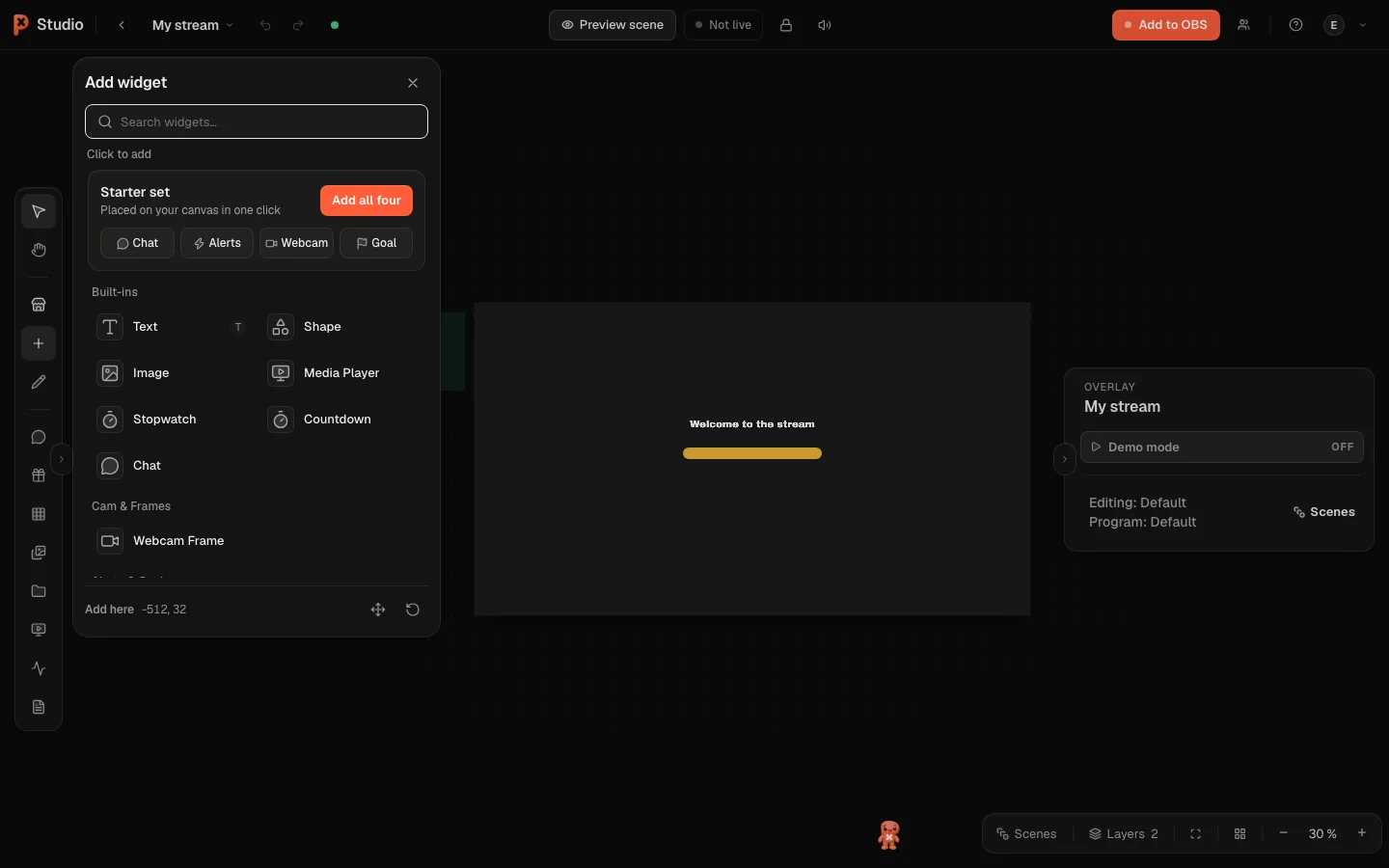
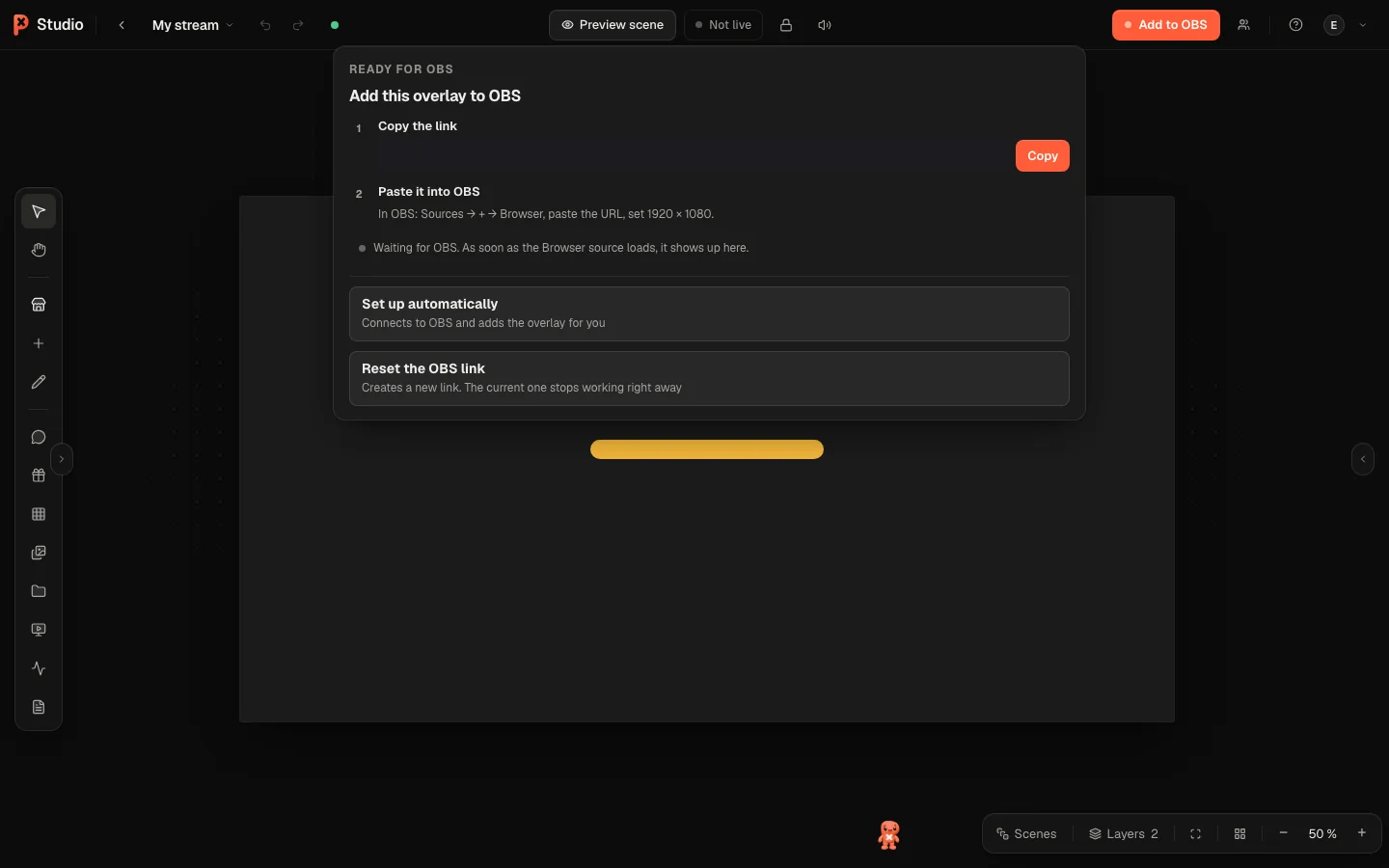
Connect Twitch or Kick under Settings → Connections so alerts, chat and the bot know your channel. The Quickstart walks through every step in detail.
Build your overlay
AlertsFollows, subs, Bits, Kicks, raids and Ko-fi tips.Looks and presetsRestyle a widget or start from a complete setup.ScenesStarting Soon, Live, BRB and Ending in one overlay.Goals, timers and countersProgress your chat can push, live.
Run your stream
PXStudioBotCommands, timers, loyalty points and moderation.DeckFire scenes and effects from your phone.Stream DeckPut overlay actions on hardware keys.TeamInvite editors and moderators with their own accounts.
Connect and automate
IntegrationsTwitch, Kick, Ko-fi, Discord, OBS and more.Connect Claude and ChatGPTBuild and run your overlay by asking your AI assistant.APIPersonal tokens, REST endpoints and a full reference for your own tools.OAuth for appsLet your app act for other streamers, safely.
What's new
LanguagesOct 9 The studio, the dashboard and the bot desk now speak French, Spanish and Portuguese (Brazil) besides English and German. Change it under Settings → Account.Pix and OBSOct 9 With OBS connected in the editor, Pix checks your stream performance and suggests better settings on a card with the current and the suggested value. You apply them with one click and can undo them for 10 minutes. See Ask Pix.PixOct 9 Drag the Ask Pix button anywhere you like, and Pix now looks where your pointer is, smoothly.PacksOct 9 A pack key opens PX Studio for your account, and pxstudio.cloud/redeem explains each step from sign-in to your first overlay.
Every change, newest first, is in the changelog.
Need help
Was this page helpful?