

Alertbox
Pop up an animated alert with sound and voice for every follow, sub, Bits, Kicks, raid and Ko-fi tip.
On this page
The Alertbox pops up whenever something happens on your channel. One Alertbox covers every event type, so most overlays need just one. You decide which events it shows, what it says, which sound plays and whether a voice reads it out.
It works with Twitch and Kick. Ko-fi donations, memberships, commissions and shop orders arrive through your Ko-fi connection.
Add it
Connect your channel under Settings → Connections.
Click Add in the toolbar (or press W) and pick Alertbox under Alerts & Goals. Place it where alerts should appear.
In the settings card, pick an Event type to edit it. Each type has its own switch, such as Show follows or Show raids.
Send a test alert and check it on the canvas and in OBS.
Write your alerts
Every event type has its own Message / TTS line. Placeholders fill in the details:
| Placeholder | Becomes |
|---|---|
{name} | The viewer's name |
{amount} | Bits, months, gifted subs or the tip amount |
{tier} | The sub tier |
{message} | The viewer's message |
{viewers} | Raid size |
Next to the text, each type can have its own Media (optional) and Sound (optional). Without one, the Default alert sound plays. Bundle rapid gifts groups a gift bomb into one alert instead of many. For Bits, Kicks and Ko-fi donations you can set a minimum amount.
Sound and voice
Turn on Read alerts out loud and pick a Voice. What gets read chooses between the whole alert line and only the viewer's message. Voice for this type overrides that per event, so you can, for example, read out subs but never follows.
During the stream
Select the Alertbox and quick actions show up above it: Skip alert and Pause, with options to pause for 5 minutes or until you resume. The same actions are in the Deck and on a Stream Deck.
Your mods can do it from chat:
!alerts skipskips the alert on screen!alerts mute 5pauses alerts for 5 minutes,!alerts mute untilpauses until you resume!alerts unmuteresumes right away
Tips
- How long it stays (seconds) and Card width (px) are the first things to tune for your layout.
- Memberships, commissions and shop orders from Ko-fi are off by default. Turn them on per event type if you use them.
- More on events, testing and fixing silent alerts: Alerts and Troubleshooting.
Looks
Pick a look under Look in the settings card. Every look is a complete style; colors and fonts you set yourself stay on top. 16 looks are available:
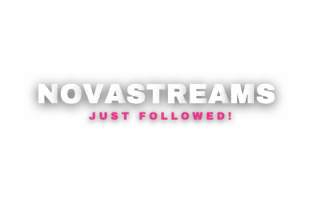 Standard
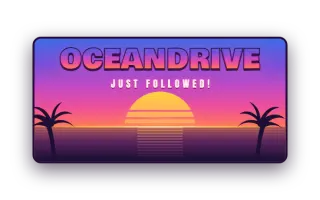 Miami
Miami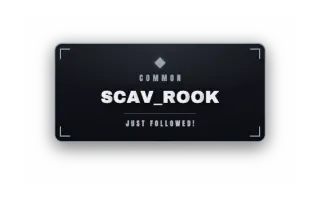 Loot Drop
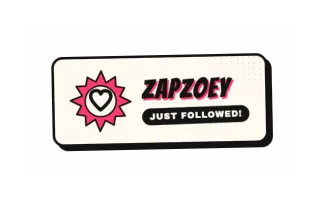 Comic Pop
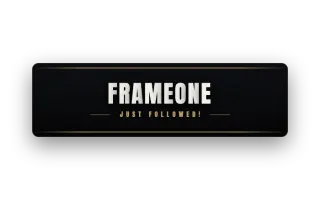 Cinematic
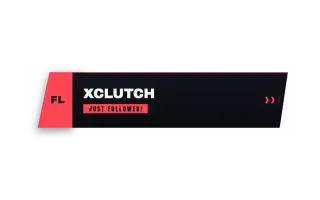 Esports
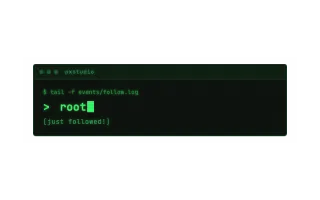 Terminal
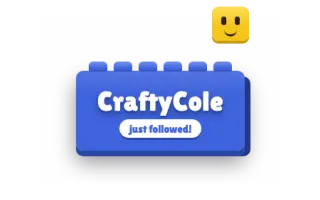 Blocky
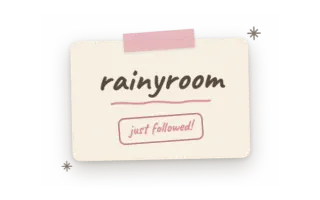 Lofi
Lofi Neon Pulse
 Midnight
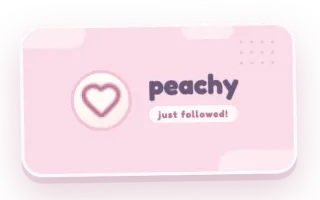 Pastel Pop
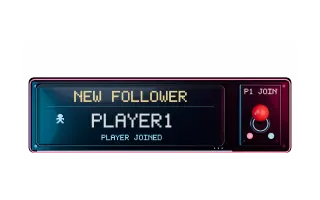 Retro Arcade (Video)
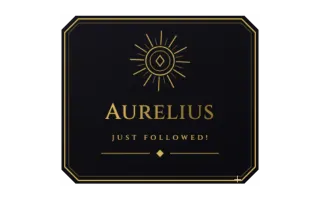 Gilded
 Gold Neon
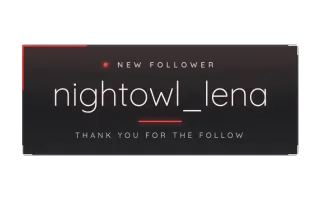 Minimalism Dark
Command reference
Every chat command this widget understands, with the default command names. Values in angle brackets are placeholders, for example a number.
| Command | What it does |
|---|---|
!alerts skip | Skip the alert currently on screen |
!alerts mute <5> | Pause alerts for N minutes (default 5). Use "!alerts mute until" to pause until resume |
!alerts unmute | Resume alerts immediately |
Settings
All settings live in the floating settings card on the right of the editor. Defaults are what a new widget starts with.
Appearance
| Setting | Default | Values | Notes |
|---|---|---|---|
| Accent color | Look default | Any color | Beam, stripe and amount. Leave empty for the look's red. |
| Motion | Full | Full, Calm (slower beam), Static (no beam) | |
| Standard animation | Fade | Fade, Slide Up, Type-On, Blur Reveal, Gold Bloom, Stagger Rise, Flip, Scramble and 8 more | |
| Name font | Look default | Look default, Anton, Archivo Black, Unbounded, Bangers, Titan One | |
| How long it stays (seconds) | 6 | 3 to 15 | |
| Scale (%) | 32 | 16 to 64 | 32 = native size |
| Max card width (px) | 900 | 420 to 1200 | The card hugs the alert; long names and messages wrap at this width |
Content
| Setting | Default | Values | Notes |
|---|---|---|---|
| Event type | Follow | Follow, New Sub, Gift Sub, Resub, Bits / Kicks, Raid, Ko-fi Donation, Ko-fi Membership and 2 more | |
| Show follows | On | On or off | |
| Message / TTS line | {name} just followed! | Text | |
| Media (optional) | Empty | Text, e.g. Paste a URL, upload a file or choose from Library | |
| Sound (optional) | Empty | Text | |
| Voice for this type | Use the global TTS setting | Use the global TTS setting, Always read out loud, Never read out loud | |
| Show new subs | On | On or off | |
| Message / TTS line | {name} just subscribed! ({tier}) | Text | |
| Show gift subs | On | On or off | |
| Message / TTS line | {name} gifted {amount} subs! | Text | |
| Bundle rapid gifts | On | On or off | |
| Show resubs | On | On or off | |
| Message / TTS line | {name} {amount} months! {message} | Text | |
| Show Bits and Kicks | On | On or off | |
| Message / TTS line | {name} cheered {amount}! {message} | Text | |
| Min amount (0 = no minimum) | 0 | 0 to 1000 | |
| Show raids | On | On or off | |
| Message / TTS line | {name} is raiding with {viewers} viewers! | Text | |
| Show Ko-fi donations | On | On or off | |
| Message / TTS line | {name} donated {amount}! {message} | Text | |
| Min donation (0 = no minimum) | 0 | 0 to 100 | |
| Show Ko-fi memberships | Off | On or off | |
| Message / TTS line | {name} joined the membership{tier}! | Text | |
| Show Ko-fi commissions | Off | On or off | |
| Message / TTS line | {name} ordered a commission for {amount} {currency}! | Text | |
| Show Ko-fi shop orders | Off | On or off | |
| Message / TTS line | {name} bought merch for {amount} {currency}! | Text |
Sound
| Setting | Default | Values | Notes |
|---|---|---|---|
| Default alert sound | Built-in sound | Text | |
| Volume | 80 | 0 to 100 | |
| Read alerts out loud | Off | On or off | |
| Voice | Harper (English US, female) | Harper (English US, female), Amy (English US, female), Ryan (English US, male), Mason (English US, male), Alba (English UK, female), Callum (English UK, male), Thorsten (German, male), Kerstin (German, female) and 13 more | |
| Voice volume | 70 | 0 to 100 | |
| What gets read | Every alert (the whole alert line) | Every alert (the whole alert line), Only the viewer's message | |
| Gold Neon audio | Video sound | Video sound, Configured alert sound, Muted | |
| Retro Arcade audio | Video sound | Video sound, Configured alert sound, Muted |
Advanced
| Setting | Default | Values | Notes |
|---|---|---|---|
| Terminal channel name | Empty | Text |
Was this page helpful?