

Event List
Show your latest follows, subs, Bits, raids and Ko-fi tips as a scrolling line or a list.
On this page
The Event List keeps a running record of who supported you. New events slide in as they happen, so viewers who just tuned in still see the latest follows, subs, Bits, raids and Ko-fi donations.
Use it as a scrolling ticker along the bottom of your screen or as a list in a sidebar.
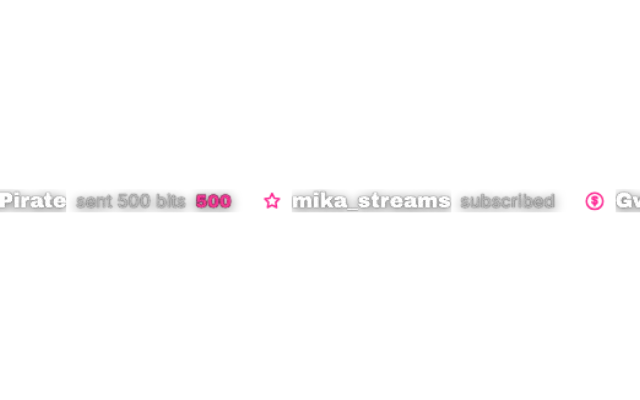
activity-linelookstandardAdd it
Click Add in the toolbar (or press W) and pick Event List under Alerts & Goals.
Choose a Layout: Scrolling line for a ticker or List for a column.
Under Events, turn off what you do not want to show.
Pick a look with Choose a look and drag the widget into place.
Layouts
Scrolling line runs your events across the screen. Set the width, the Scroll speed (px/s) and the Scroll direction. A short line runs as fast as a long one, so the speed stays the same whatever you show.
List stacks the events in a column. Give it a List title if you like, and set its width and height.
In both layouts, Max events shown caps how many events stay visible.
Which events show up
| Setting | Shows |
|---|---|
| Show follows | New followers |
| Show subs & gift subs | New subs, resubs and gifted subs |
| Show cheers / bits | Bits |
| Show raids | Incoming raids |
| Show donations (Ko-fi) | Ko-fi tips, needs the Ko-fi connection |
Test it
Select the widget and open Test above it to send a sample follow, sub, gift subs, resub, Bits, raid or tip. The same tests are available in the Deck.
Tips
- Accent color and Text color override the look's colors. Leave them empty to keep the look as designed.
- Text size (px) is the quickest fix when the line is hard to read on a small stream.
- Want a big pop-up for each event instead? That is the Alertbox.
- The Activity panel in the editor toolbar shows the same events for you, without putting them on stream.
Looks
Pick a look under Look in the settings card. Every look is a complete style; colors and fonts you set yourself stay on top. 15 looks are available:
Settings
All settings live in the floating settings card on the right of the editor. Defaults are what a new widget starts with.
Layout
| Setting | Default | Values | Notes |
|---|---|---|---|
| Layout | Scrolling line | Scrolling line, List | |
| Max events shown | 12 | 3 to 30 | |
| List title | Empty | Text | Leave empty for none. Only used in the List layout. |
| Width (px) | 1200 | 180 to 1920 | |
| Width (px) | 340 | 180 to 1920 | |
| Height (px) | 1080 | 120 to 1080 | Only used in the List layout. |
Design
| Setting | Default | Values | Notes |
|---|---|---|---|
| Accent color | Look default | Any color | Empty keeps the look's own accent. |
| Text color | Look default | Any color | Empty keeps the look's own text colors. |
| Text size (px) | 17 | 11 to 34 |
Animation
| Setting | Default | Values | Notes |
|---|---|---|---|
| Scroll speed (px/s) | 60 | 5 to 400 | A short line runs as fast as a long one. Only used in the Scrolling line layout. |
| Scroll direction | Right to left | Right to left, Left to right | Only used in the Scrolling line layout. |
Events
| Setting | Default | Values | Notes |
|---|---|---|---|
| Show follows | On | On or off | |
| Show subs & gift subs | On | On or off | Includes resubs and gifted subs. |
| Show cheers / bits | On | On or off | |
| Show raids | On | On or off | |
| Show donations (Ko-fi) | On | On or off |
Was this page helpful?